Hidden Costs of Content Friction: Fixing Fragmented Workflows
Uncover the hidden costs of content friction and learn how to fix fragmented workflows. Get actionable advice from content leaders and agency operators.
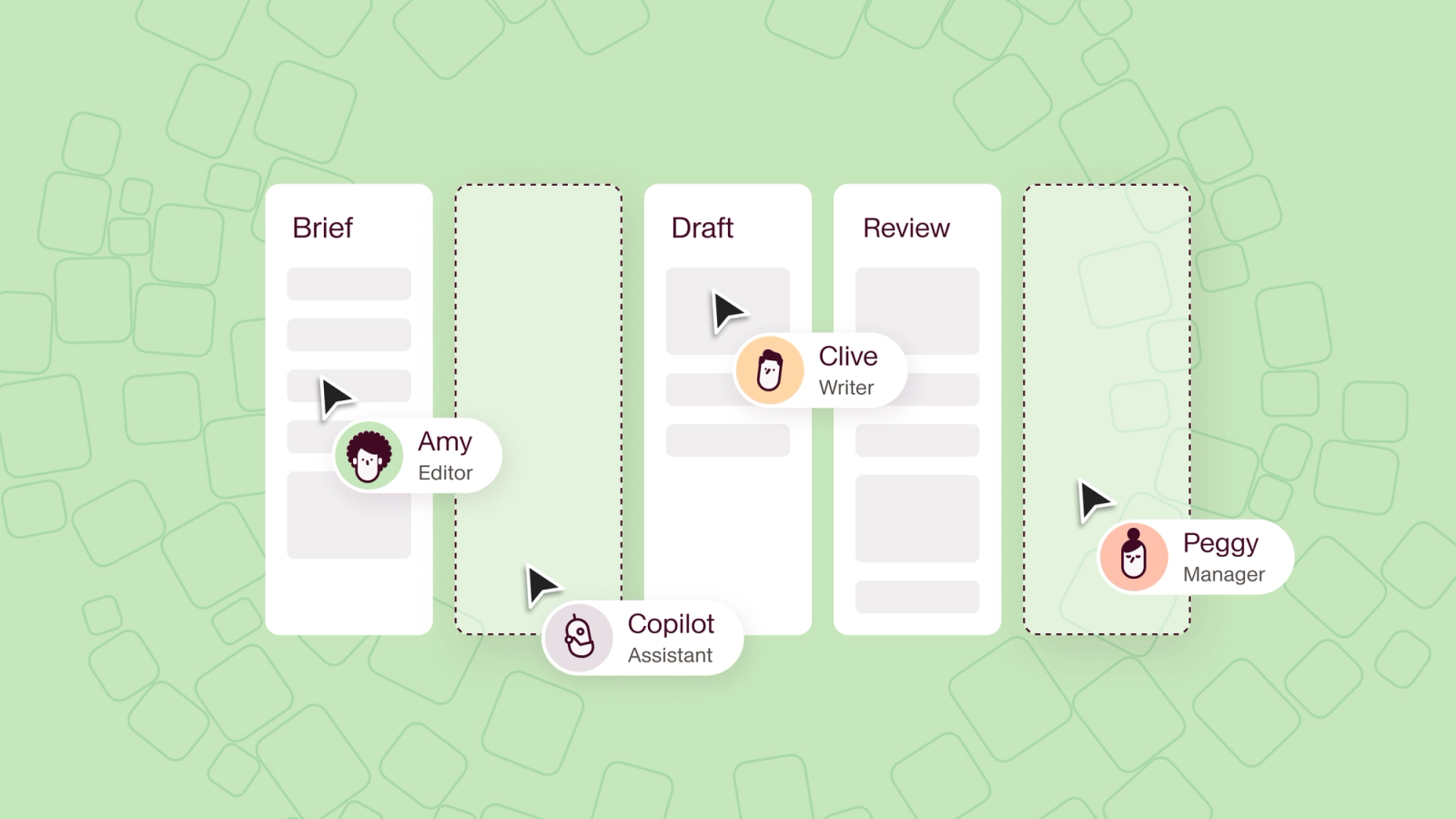


Disjointed content workflows slowly zap valuable time, creativity, and focus. The costs may seem small at first. But over time, the missed deadlines and wasted opportunities add up. The fix often starts upstream, by streamlining the content strategy itself so there is less to coordinate in the first place.
However, fixing these fragmented processes isn’t as straightforward as it might seem.
Instead of addressing the root cause, many solutions just add complexity. These complications often make B2B content operations even more disorganized and difficult to manage.
To find out how content marketers successfully resolve broken content workflows and refine operations, I spoke with several content managers, agency operators, and freelance writers.
I learned that in most cases, a complete content operations overhaul isn’t the right move. Instead, small, strategic changes tend to make the biggest difference. The exception is when the friction is structural rather than tactical, and the fix is a person: our guide to when to hire a head of content operations covers the signals that separate the two.
Common signs of content friction
Before you can set up systems that work for your team, you need to know what’s broken. The following issues often signal a fragmented workflow.
Endless check-ins
Whether you work with an in-house team or you collaborate with freelancers, you need to keep everyone in the loop. Much of that friction is set before the first draft, by how well you onboard a freelancer onto your strategy. But when status updates result in endless emails or Slack messages scattered across multiple channels, it’s a signal you need a simpler system, or a single conversation thread for everyone involved in the project.
Face-to-face meetings are great for getting everyone on the same page during important project milestones. But frequent requests to hop on a call waste everyone’s time, and they usually signal that you need a better way to communicate rather than another meeting that could have been a project status update. RAYVN hit exactly this wall and cut its agency meeting time in half once the schedule and approvals lived in one shared place.
Unclear briefs
When no one is responsible for content, unclear briefs often result. Whether your briefs consist of a keyword with no additional context or they’re subject to ongoing updates from multiple stakeholders, they make the writer’s job unnecessarily difficult. Sometimes they even lead to duplicated work.
Before founding the content agency dslx, Ray Berry dealt with ever-changing briefs, lack of ownership, and endless redos as a freelancer. “I had to rewrite entire chapters of this guide we were creating because the briefs and stakeholders kept changing. Yet no one really knew who had the final say.”
Mismanaged access
Managing access to briefs, style guides, and drafts can be tricky. You need to make sure the right people can open and edit files without letting just anyone access your documents. But if your process leaves room for error and creates delays for your team, you might be better off with an automated solution wired into a wider AI-powered content system so permissions, briefs, and review stages share the same source of truth.
As B2B writer Gautam Gauswami shares, “I sometimes struggle to get access to my clients’ Google Docs files after requesting it multiple times.” When clients mistakenly think they’ve already granted permission and don’t realize the error in their workflow, the solution requires unnecessary back-and-forth.
Zero ownership
Who’s responsible for making sure blog posts get published on time? How about case studies and customer testimonials? What about original research reports?
When no one takes ownership of certain content types or specific deliverables, it’s unlikely they’ll be completed on schedule. And in some cases, they might become urgent when you least expect it.
Inconsistent feedback
Unpredictable feedback can stop progress in its tracks and push back deadlines for freelancers and in-house writers alike. When editors constantly change style guides or erratically apply brand rules, writers end up second-guessing their work. And when a different (or worse, more than one) editor reviews each piece, confusion ensues.
In a previous role, mishandled edits were a major pain point for freelance writer and editor Meredith Sell. “No clear systems or processes in place. No project management. Everything edited by committee,” she laments. “I wasn’t in a position to make changes, and I learned quickly that my feedback on how to improve things wasn’t welcome.”
Hidden costs of broken content workflows
The first time these issues happen, they might not seem like a big deal. But content friction builds up over time, and the costs add up.
The clearest measurement of that drag comes from outside content marketing. In Sisense’s State of Analytics 2025, 78% of the 536 data professionals surveyed said they lose between 10% and 50% of the workday to digital friction: switching tools, hunting for files, and re-establishing where something stands. Those are analysts rather than content teams, and 50% is the top of that band rather than a typical day, so treat the number as the shape of the problem instead of a measurement of your own. The mechanism is the same one content teams describe below.
Wasted time
Between chasing status updates and redoing work, content marketers can easily lose valuable time. “It may seem intangible, but wasted time, energy, and momentum, definitely impact the bottom line,” shares Jessi Stafford, consultant and fractional head of content.
“The biggest bottleneck I’ve seen is teams duplicating work because they’re not looped into what others are doing. Sometimes this is due to fast growth or legacy workflows not meant for modern production.” Jessi explains that this can cause siloed teams to create almost identical content, sometimes with inconsistent messaging.
Missed deadlines
When writers have to wait for access to essential files or when multiple stakeholders weigh in with contradictory edits, important deadlines become impossible to achieve. Start dates get pushed back, content has to be redone, and publication dates pass while key deliverables are still works in progress.
This can have a cascading effect on marketing campaigns and sales initiatives, putting everyone behind. Missed deadlines are a common consequence of workflow-related challenges. In Canto’s State of Digital Content, 2025 edition, 34% of the 423 professionals surveyed named lag time getting content to market as a consequence of workflow problems. That survey was fielded in October 2024 at companies with 50 or more employees, so it describes larger teams than most.
Neglected creativity
The more time content teams spend on managing stakeholders, providing updates, and reworking content, the lower their capacity becomes for creativity. These inefficiencies chip away at bandwidth for brainstorming and innovation, causing teams to lose steam.
Pressure to do more with less budget, time, and resources is the norm rather than the exception, as The Content Studio found when it surveyed 545 content marketers for The State of Discontent. Its headline finding is that 66% of in-house marketers are unhappy in their job or have a complicated relationship with it. Teams under that squeeze often take on roles and projects beyond their core expertise while facing pressure to produce content at a rapid pace. The teams that escape that squeeze tend to attack the output number itself rather than the hours, which is the argument behind a leaner approach to B2B content.
The result? Content marketers end up with a relentless workload that leaves little room for creativity or producing groundbreaking content that truly moves the needle or helps the brand establish authority and credibility.
Low morale
When talented content marketers feel like they’re spinning their wheels, they might start looking for other roles that offer them more space to be creative and produce high-quality work. As a result, turnover tends to increase. In the same 2025 Canto survey, 22% of respondents named loss of valuable talent as a consequence of workflow-related challenges.
As a freelancer, “I had to fire a client, despite it being a great brand name and a large financial contract. The content workflow was just a mess,” Ray recalls. “I’d ended up having multiple rounds of feedback, all from different stakeholders and all sharing different opinions, to the point where they were correcting each other’s work and I was just the messenger.”
Increased costs
Losing team members isn’t just an inconvenience. Turnover gets expensive, especially if it happens regularly. Gallup puts the cost of replacing a departing worker at one-half to two times their annual salary. That 2021 figure covers employees generally rather than content roles specifically, and Gallup does not break it out by job family, but there is no reason to think a content hire is cheaper to replace than the average.
Plus, the more your organization spends on replacing employees and contractors, the less it has to invest in other content needs. This may mean lower budgets for producing content or investing in tools. Defending that budget before it gets cut is a separate skill from spending it well, and it mostly comes down to how clearly you can make the case for content to your leadership team.
Lost opportunities
When content teams get stuck dealing with inefficiencies, it’s easy to lose sight of bigger goals. Tasks like building a long-term content strategy, exploring new distribution channels, and experimenting with new formats often get deprioritized. Together, these small setbacks equal substantial lost opportunities.
In this situation, Jessi explains, “A siloed structure leads to a lot of missed opportunities. Top-performing content on one channel never makes it to another, just because no one had visibility into performance data. A YouTube video could easily become a reel or a story or an article could be tested as a newsletter. But that only happens when there’s collaboration baked into the process.”
Stop losing projects to workflow friction.
Relato unifies briefs, feedback, and deadlines in one place so your team can focus on creating, not firefighting.
Smarter systems for content operations
Once you know the cause and the cost of content friction, you’re ready to work toward a solution. Here’s how content leaders successfully navigate this process.
Audit your content workflows
To clarify what’s broken, review your content operations. “If I’d been able to implement changes [in my former role], I would have started with mapping how things currently worked,” explains Meredith.
From there, the next step would have been “looking for ways to cut inefficiencies and approval layers, instituting an easily navigable tool for content requests, and conversing with stakeholders to better understand content needs and pain points.” The ultimate goal? “Devising a more comprehensive strategy that had room to flex where needed while maintaining a more efficient workflow and trusting people to do their jobs.”
Designate a single source of truth
One of the most impactful changes you can make is getting everyone to work in a single content management tool. Because this type of tool holds data related to content requests, active projects, stakeholders, deadlines, and distribution, it serves as a single source of truth for your content team.
Megan Morreale, a two-time head of content, explains that the benefits of this type of tool go beyond functionality alone. As she explains, “the conversations it forces you to have about ownership and the transparency over where the workflow breaks down” are essential for fixing fragmented content operations.
The right content operations tool looks different depending on your needs and role.
For example, B2B tech copywriter Jodi Kaplan uses a DIY solution. “I call it the big ugly spreadsheet. It’s not particularly fancy, and deliberately plain (that’s why it has its name), but it works.”
This simple system makes it easy for Jodi to keep track of client content projects:
Break down each part of the project into individual tasks.
Add them to the spreadsheet, with a space to note the date and person who okayed it.
Have a column in the beginning for current status and who needs to do something.
For larger teams, a content operations platform like Relato is often a better fit.
Instead of building a Frankenstack with disconnected tools that aren’t designed for content, Relato manages projects, workflows, timelines, roles, and conversations in a single place. That means fewer missed deadlines, less duplicated work, and less midnight stitching of feedback from three different docs.
Define content roles
Get everyone on the same page by clarifying and assigning roles for each project or task. Use a framework like the RACI matrix, which defines who’s responsible, accountable, consulted, and informed.
In some cases, it’s also worth rethinking your organization’s content team roles. “This will probably make some people break out into a cold sweat, but sometimes you have to be willing to tear down and rebuild the team structure,” Jessi shares. “A re-org isn’t just about moving boxes around on an org chart. It’s about aligning people based on how work actually gets done.”
She explains that it doesn’t always make sense for content channels to be siloed. Instead, creating cross-functional teams can be more efficient, especially when they’re based on content goals.
As Jessi puts it, “Rather than a writer creating something and just handing it off to social, they’re collaborating from day one with a social lead and a video editor. That way, you’re not just repurposing content after the fact, you’re building it to be multi-platform from the start.”
“Re-orgs also create space for growth. You can carve out new roles around emerging platforms, or even content strategy roles that bridge gaps between editorial and audience development. It’s a chance to right-size the team for what’s working now, not just what made sense five years ago.”
Streamline communication
No matter your team structure, collaboration is smoother with clear communication. This matters even more for distributed content teams spread across time zones, where every missed handoff costs an extra day. Encourage everyone to use the same communication channel, preferably your content operations tool.
Then, establish a main point of contact. This is especially important for content teams that work with contractors.
“At my content agency, dslx, we now set up very strict rules on one point of contact having the trump card. They have the final say, and their word is final,” Ray shares. “It’s really helped to streamline processes and made the experience for our writers and editors that much more pleasant.”
Set realistic timelines
When you create project deadlines, you help your content team plan their work and avoid missing valuable opportunities. Go beyond publication deadlines and map out complete project timelines so responsible team members can contribute at each step of the way, including during the feedback process.
Freelance tech writer Rachel H. Meltzer builds strict timelines into her contracts, which allows her to manage multiple projects and clients. “Usually I give my clients seven days to submit their feedback. Then, I’ll turn in my edits in seven days after that. All feedback needs to be submitted in one place (either their project management tool or on the document itself) by day seven. If it’s not, it won’t be included in my revisions.”
To keep her processes running smoothly, Rachel uses a three-strike system. “If a fourth issue happens where they can’t make the system work, then I end the contract and move on. It’s business!”
Automate time-consuming processes
Save your team time by adding automation to workflows. But take care not to overcomplicate the process.
As Jessi puts it, “Automation can be helpful. But I’ve learned that if automation creates more work checking to see if it worked, it’s not worth it. Sometimes simpler is better.”
Notifications and intake forms are great places to start. For example, Janet Celosia, VP of Marketing Strategy at BackPocket Agency, worked with a client to automate the process of collecting user-generated content (UGC) via a submission form.
“Once a member submitted an article, it automatically populated into the CMS as a post, complete with headlines, subheads, images, captions, author bylines, bios, and even CTAs. That meant the content team could skip the manual copying, pasting, and uploading, and jump straight to editing.”
Janet explains, “It saved hours of busywork. We also shared a style guide and submission parameters with team members up front, which drastically reduced the need for back-and-forth emails and time-consuming edits.”
Use AI to scale successful workflows
Once you’ve successfully set up a simple system, consider using AI to scale your process. For example, Julia Melymbrose, Director of Business Strategy and Operations at Animalz, used no-code tools like Softr, Airtable, and Zapier to build an automated content marketing operations flow.
Everything starts in Airtable, where the team inputs ideas. Clients review ideas in a Softr-designed portal. And Zapier connects everything, triggering notifications, assignments, and document access.
Julia’s team is actively exploring how best to incorporate AI into this process. Using AI to create customer meeting notes has proven valuable. After a customer call, Claude automatically reviews transcripts and sends the account manager the following:
Call summary
Key discussion points
Current challenges
Decisions and next steps
Insights and new ideas
Meeting effectiveness rating based on a proprietary scoring system
Julia explains, “This AI flow helps us significantly reduce the time we spend creating meeting notes and customer updates, provide better service to customers by ensuring we don’t miss any details, and improve individual team members’ skills in running meetings.”
After some additional experimentation, Julia’s team is likely to incorporate more AI in Animalz’ processes. However, the first step is always creating a simple system that works, and then taking steps to improve it with automation and AI.
What to do when briefs and status updates are scattered across email threads
The short answer: stop trying to organize the email. Move the two things email handles worst, the current version and the current status, somewhere everyone can see them without asking.
Email fails as a workflow layer for a structural reason. A thread is ordered by when people replied, not by what the piece needs next. So the brief sits in message four, a revision sits in an attachment in message eleven, and the approval sits in a forward half the team never received. Nobody is being careless. The tool has no concept of a draft having a stage or an owner, so that information can only live in people’s heads.
A workflow layer is the thin set of decisions that sits above your documents:
- One current version. A single link that always resolves to the latest draft, so “which version is this?” stops being a question anyone has to ask.
- One stage per piece. Briefing, drafting, review, approved, scheduled. A piece is in exactly one of them, and anyone can check which without sending a message.
- One owner per stage. The person whose move it is right now, named rather than implied.
- One place for comments. Feedback attaches to the draft itself, not to a mailbox that only some people can search.
You can build that on a spreadsheet, the way Jodi does above, and it holds until two people need to change the status at the same time. The software matters less than the shift it forces: status becomes something people read for themselves instead of something they have to chase. If you are weighing where that layer should live, the tradeoffs between a content operations platform, a CMS and a project management tool come down to whether review is already your bottleneck.
If you are starting from a full inbox, do not migrate the backlog. Take the next piece that enters the pipeline and run only that one this way. A single piece with a visible stage and a named owner is enough to show the team what they have been paying for.
How many days do content handoffs add to your timeline?
Count the handoffs in your current process and you have a rough floor for how long a piece takes, no matter how fast anyone writes. A typical B2B post passes through briefing, drafting, editing, stakeholder review, approval and scheduling. That is five handoffs before publication.
What costs you is the gap before the next person picks the work up. A draft that lands in an editor’s inbox on Thursday afternoon waits until Monday, and none of that shows up as effort in anyone’s timesheet. Multiply a wait like that across five handoffs and the schedule can double while the actual work stays the same.
We do not have a measured average for how many days a handoff costs, and we would be inventing one if we quoted a figure here. It varies too much by team size, time zone spread and how many stakeholders hold a veto. What you can measure is your own: take the last five pieces you published, note the date the draft was finished and the date it went live, and subtract the days when somebody was actively working on it. The remainder is your queue time, and it is usually larger than anyone on the team expects.
Two changes cut it without adding tooling. Give each stage a standing window, so the editor knows Thursday drafts get read Friday morning rather than whenever the inbox surfaces them. And cut the stages that exist only out of habit, particularly the review layers where the reviewer has never once asked for a change.
Handoffs to people outside the core team are the ones most worth tightening, because they carry the least shared context. Briefing a strategy-led freelancer properly costs an hour and removes a whole round of clarifying questions later.
How to fix fragmented content workflows
You rarely fix content friction in one move. The teams that climb out of it start small and let the wins compound. Here is the short version of what the operators above did, roughly in the order that works:
- Name the friction first. Audit where work actually stalls: access requests, contradictory edits, the daily hunt for the latest draft. Map it before you buy anything.
- Give the work one home. Move briefs, drafts, deadlines, and conversations into a single source of truth so nobody loses an afternoon to five open tabs. This is also where most of the drift between the brief and the build disappears, since context stops living in whichever tool a team happens to open.
- Put a name on every piece. Unclear content ownership is where most duplicated work and blown deadlines start.
- Make feedback predictable. One point of contact, one place to leave comments, one fixed window. Erratic editorial feedback is what pushes writers to second-guess and redo.
- Automate the dull parts last. Notifications and intake forms are a safe start, and only where the automation saves more time than it costs to babysit.
None of this needs a re-platform. It needs a decision about who owns what and where the work lives.
Why clean processes matter more than ever
Fragmented workflows slow teams down and drain creativity, waste resources, and make content harder to surface in an AI-first landscape. LLMs and AI search engines favor structured, consistent, and well-documented content. That means fixing inefficiencies today isn’t only about hitting deadlines; it’s about positioning your work to be discoverable tomorrow.
Relato helps teams do both. By unifying projects, assets, and feedback in one place, it cuts friction while creating the structured workflows that humans and AI reward.
Ready to see where your friction points are? Start with a 30-minute workflow audit and explore Relato’s templates to make small changes that lead to big results.
Fix the friction that's slowing your team down.
Relato replaces fragmented workflows with one streamlined system for your entire content operation.
Frequently asked questions about content friction
What is content friction?
Content friction is the drag created by disjointed workflows: the status check-ins that never end, the vague briefs, the access delays, the feedback that contradicts last week’s feedback. Any one of them is minor. Stacked across a quarter, they cost real time, missed deadlines, and morale.
What causes fragmented content workflows?
Two things, usually. A stack of tools that were never built to share state, and unclear ownership. Strategy sits in one app, briefs in another, drafts in a third, feedback in email. When no single person owns a piece from brief to publish, work gets duplicated and handoffs slip through the cracks.
How much does content friction really cost?
More than the wasted hours, though there are plenty of those. The closest measurement comes from adjacent work: 78% of data professionals in Sisense’s State of Analytics 2025 lose between 10% and 50% of the workday to digital friction. It also shows up as missed deadlines (34% of respondents to Canto’s 2025 survey named lag getting content to market), thinner creative capacity, and turnover that Gallup costs at one-half to two times a departing employee’s salary.
How do you fix broken content workflows?
Map where work stalls, then pull briefs, drafts, and feedback into one place with a clear owner on each piece. Set realistic timelines and a single feedback window, and add automation only where it saves more time than it takes to maintain. Small, sequenced changes beat a full content operations overhaul almost every time.
What is the best software to manage content production workflows?
It depends on team size. A plain spreadsheet can be enough for a solo writer juggling a few clients. Bigger teams tend to outgrow a Frankenstack of disconnected apps and move to a content operations platform that keeps projects, briefs, timelines, and conversations in one workspace.
How do you fix briefs and status updates scattered across email threads?
Stop organizing the email and move the current version and the current status somewhere everyone can see without asking. Email orders messages by when people replied, not by what a piece needs next, so it cannot hold a stage or an owner. Give each piece one live link, one stage, one named owner, and one place for comments. Start with the next piece entering the pipeline rather than migrating the backlog.
How many days do handoffs add to a content timeline?
It depends on your team, and any single number would be invented. The cost is rarely the transfer itself: it is the queue time before the next person picks the work up. Measure your own by taking your last five published pieces, subtracting the days someone was actively working from the total elapsed days, and looking at what is left. Standing windows for each stage and removing review layers that never request changes are the two fixes that need no new tooling.